For Enquire Call us : 9811631557

Advanced Excel course in Laxmi Nagar
Advanced Excel Course in Laxmi Nagar – SRC Education
Learn Advanced Excel with Practical Training & AI Tools
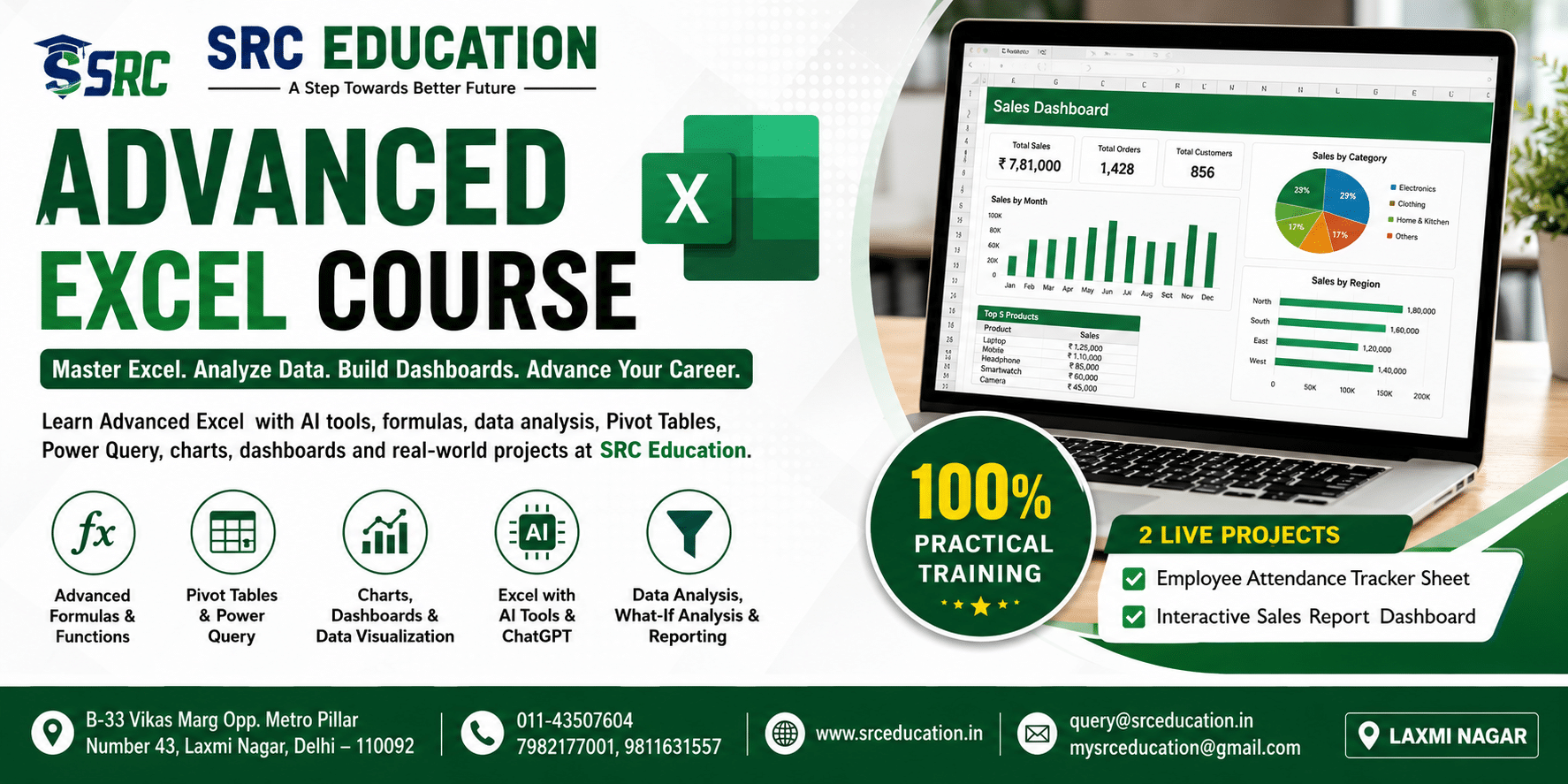
Excel is one of the most widely used software applications in offices, businesses, educational institutions, finance departments, HR teams, sales departments, and data management environments. Professionals use Excel for preparing reports, analyzing data, managing records, creating dashboards, calculating business figures, and making important decisions.
SRC Education offers a practical and career-focused Advanced Excel Course in Laxmi Nagar designed for students, freshers, job seekers, working professionals, and business users who want to improve their Excel skills. The course focuses on advanced formulas, functions, data analysis, reporting, charts, Pivot Tables, Power Query, What-If Analysis, data validation, conditional formatting, and AI-assisted Excel techniques.
At SRC Education Laxmi Nagar, students do not learn Excel only through theoretical concepts. The training focuses on practical exercises and real-world examples so that learners can understand how Excel is actually used in professional workplaces.
Introduction to Excel
The Advanced Excel training at SRC Education begins with a proper understanding of Excel and its working environment. Students learn how to efficiently manage workbooks, worksheets, rows, columns, cells, and data ranges.
The introductory module includes:
- Basic understanding of Excel menus and toolbar
- Workbook and worksheet management
- Data entry and editing
- Formatting cells and worksheets
- Number and date formatting
- Working with multiple worksheets
- Worksheet organization
- Page setup and printing
- Professional worksheet formatting
- Basic Excel operations
This foundation helps students at SRC Education move confidently toward advanced Excel formulas and data analysis.
Mathematical & Statistical Functions
A major part of the Advanced Excel Course at SRC Education is learning mathematical and statistical functions. These functions are useful for calculations, business reports, sales analysis, financial data, attendance records, and management reporting.
Students learn:
SUM, SUMIF, SUMIFS, COUNT, COUNTA, COUNTBLANK, COUNTIF, COUNTIFS, AVERAGE, AVERAGEA, AVERAGEIF, AVERAGEIFS, SUBTOTAL, AGGREGATE, RAND, RANDBETWEEN, ROUNDUP, ROUNDDOWN, ROUND, SUMPRODUCT, MOD, SQRT, POWER, FACT, CONVERT and ROMAN.
SRC Education provides practical exercises where students apply these functions to real-style datasets. Learners understand how to calculate totals, averages, conditional values, percentages, and other important business calculations.
Text Functions
Text functions are important when working with customer databases, employee information, product details, and other large datasets.
The Advanced Excel training at SRC Education covers:
- CHAR
- CLEAN
- CODE
- CONCATENATE
- FIND
- SEARCH
- SUBSTITUTE
- REPLACE
- LEN
- RIGHT
- LEFT
- MID
- LOWER
- UPPER
- PROPER
- TEXT
- TRIM
- VALUE
Students learn how to clean unwanted spaces, extract specific information, combine text, change text cases, replace characters, and convert information into usable formats.
Date & Time Functions
Date and time calculations are frequently required in HR, finance, attendance, project management, and business reporting. SRC Education provides practical training on important date and time functions.
The module includes:
DATE, DAY, MONTH, YEAR, EDATE, EOMONTH, NETWORKDAYS, WORKDAY, WEEKNUM, WEEKDAY, HOUR, MINUTE, SECOND, NOW, TODAY and TIME.
Students learn how to calculate working days, deadlines, month-wise information, employee tenure, weekly reports, and other date-related business calculations.
Logical Functions
Logical functions allow Excel to automatically make decisions based on conditions. They are widely used for employee records, sales targets, student results, attendance systems, and business reports.
SRC Education covers:
- AND
- OR
- IF
- IFERROR
- NOT
- Nested IF
Students learn how to create formulas that automatically display results according to specific conditions. For example, Excel can classify an employee as eligible or not eligible, determine whether a target has been achieved, or identify attendance status automatically.
Lookup & Reference Functions
Lookup functions are essential for professional Excel and MIS work. At SRC Education, students learn how to retrieve information from large datasets using advanced lookup techniques.
Topics include:
- VLOOKUP
- Double VLOOKUP
- HLOOKUP
- INDEX
- MATCH
- OFFSET
- INDIRECT
- ADDRESS
- COLUMN
- COLUMNS
- ROW
- ROWS
- CHOOSE
- Arrays
- Lookup formula concepts
Students practice retrieving employee details, product prices, customer information, sales data, and other records from different tables.
Advanced Excel with AI
Modern workplaces are increasingly using Artificial Intelligence to improve productivity. Therefore, SRC Education’s Advanced Excel Course also introduces learners to AI-assisted Excel techniques.
Students understand:
- What is ChatGPT?
- How AI can assist Excel users
- How to use AI with Excel-related tasks
- Creating formulas using natural-language prompts
- Explaining complicated Excel formulas with AI
- Troubleshooting formula-related problems
- Generating formula ideas using AI
- Practical applications of ChatGPT with Excel
The objective is to help students understand how traditional Excel knowledge can be combined with modern AI tools to perform tasks more efficiently.
Excel Formulas with AI Tools
AI tools can assist Excel users in creating, understanding, and improving formulas. At SRC Education, students learn how AI can support their Excel workflow while still understanding the logic behind formulas.
Students explore practical applications such as:
- Generating formulas through AI prompts
- Understanding existing formulas
- Improving complex formulas
- Identifying possible formula errors
- Creating conditional formulas
- Finding appropriate Excel functions
- Using AI for data analysis
- Improving reporting productivity
This combination of Advanced Excel + AI helps learners develop modern workplace skills.
Other Excel Functions
SRC Education also introduces students to several additional functions used in professional Excel work, including:
PMT, FV, ISNA, ISBLANK, ISERR, ISEVEN, ISODD, ISLOGICAL, ISTEXT, MAX, MIN and many other useful Excel functions.
These functions can be applied to financial calculations, error handling, data validation, statistical analysis, and business reporting.
Why Learn Advanced Excel at SRC Education?
SRC Education in Laxmi Nagar focuses on practical computer education and career-oriented training. The Advanced Excel course is designed to help learners move from basic spreadsheet knowledge toward professional-level data management and reporting.
Students get exposure to formulas, functions, AI tools, data analysis, charts, and practical Excel applications.
Continue with Part 2 for Pivot Tables, Power Query, Charts, What-If Analysis, Data Validation, Dashboard Development, Live Projects, Career Opportunities and Why Choose SRC Education.
Advanced Data Analysis, Dashboards & Practical Projects
In Part 1 of the Advanced Excel Course at SRC Education, students learn Excel functions, formulas, logical functions, lookup formulas, date and time functions, text functions, and AI-assisted Excel techniques.
In Part 2, SRC Education focuses on advanced data analysis, visualization, reporting, dashboards, Pivot Tables, Power Query, What-If Analysis, data management, security, and practical project development.
These skills are especially useful for students and professionals preparing for MIS, reporting, operations, finance, HR, sales, and data-related roles.
Data Collection, Data Quality & Collaboration
Professional Excel users often work with information collected from different sources. Therefore, maintaining accurate and organized data is an important part of Advanced Excel training at SRC Education.
Students learn concepts related to:
- Data collection methods
- Data quality
- Data consistency
- Data organization
- Collaboration
- Sharing workbooks
- Working through shared drives
- Data security
- Workbook protection
SRC Education helps learners understand how properly organized data can improve the accuracy and efficiency of business reports.
Single & Multidimensional Data Analysis
Advanced Excel can be used to analyze data from multiple dimensions. At SRC Education Laxmi Nagar, students are introduced to single and multidimensional analysis techniques.
The course includes concepts related to Three-Dimensional (3D) Tables, which can help users compare information across multiple worksheets or datasets.
Students can use these techniques for:
- Monthly sales analysis
- Department-wise reports
- Region-wise performance
- Product analysis
- Employee performance
- Year-wise comparisons
Advanced Charts & Data Visualization
Data visualization makes complex information easier to understand. SRC Education provides practical training in creating professional and interactive Excel charts.
Students learn how to create:
- Bar Charts
- Pie Charts
- Scatter Charts
- Line Charts
- Column Charts
- Speedometer Charts
- Gantt Charts
- Dynamic Charts
Students also learn how to select suitable charts according to the type of data and reporting requirement.
Dynamic charts can be used to create interactive reports where information changes according to selected filters or conditions.
What-If & Sensitivity Analysis
What-If Analysis is an important Excel feature for business planning and decision-making. It allows users to understand how changing certain values can affect the final result.
At SRC Education, students learn:
- Data Tables
- Manual What-If Analysis
- Threshold Values
- Goal Seek
- One-Variable Data Tables
- Two-Variable Data Tables
These tools can be useful for budgeting, sales forecasting, target planning, pricing analysis, financial calculations, and business decision-making.
Filters, Sorting & Conditional Formatting
Managing large datasets requires efficient filtering, sorting, and formatting techniques.
The Advanced Excel Course at SRC Education covers:
- Basic Filters
- Advanced Filters
- Conditional Filters
- Ascending Sorting
- Descending Sorting
- Sorting by Cell Color
- Sorting by Font Color
- Conditional Formatting
- Data Validation
- Group & Ungroup
- Data Splitting
Conditional Formatting can be used to automatically highlight important information such as high sales, low performance, pending tasks, attendance issues, or target achievements.
Pivot Tables
Pivot Tables are one of the most powerful tools for summarizing and analyzing large datasets. SRC Education provides practical Pivot Table training so students can convert raw data into meaningful reports.
Students learn how to:
- Create Pivot Tables
- Summarize large datasets
- Group information
- Filter data
- Compare categories
- Analyze sales
- Analyze employee performance
- Create Pivot Charts
- Prepare management reports
Pivot Tables are particularly useful for MIS executives and professionals who need to prepare regular business reports.
Power Query
Power Query is another important component of modern Excel data analysis. At SRC Education, students are introduced to Power Query for importing, cleaning, transforming, and preparing data.
Students learn concepts related to:
- Importing data
- Data transformation
- Data cleaning
- Combining datasets
- Preparing data for analysis
- Exporting processed information
Power Query can reduce repetitive manual work and make large-scale data preparation more efficient.
Import & Export Data
Professional Excel users often need to transfer information between different files and systems.
SRC Education covers practical concepts related to:
- Importing data
- Exporting data
- Working with external datasets
- Managing structured information
- Preparing data for reports
Students understand how data can be prepared and transferred while maintaining accuracy and organization.
Worksheet & Workbook Protection
Data security is important when working with confidential business information. The course includes:
- Protect Worksheet
- Unprotect Worksheet
- Protect Workbook
- Unprotect Workbook
- Restricting unwanted changes
- Maintaining organized files
These features help learners understand how Excel files can be protected in professional environments.
Report Development
One of the major objectives of the Advanced Excel training at SRC Education is to teach students how to convert raw information into professional reports.
A professional Excel report may contain:
- Clean datasets
- Advanced formulas
- Summary tables
- Pivot Tables
- Charts
- Filters
- Conditional Formatting
- KPIs
- Dashboards
- Interactive elements
Students learn how to present information clearly so that managers and decision-makers can understand important business insights.
Advanced Excel Project Work at SRC Education
Practical projects are an important part of learning Advanced Excel. SRC Education provides project-based exercises that help students apply the concepts learned during training.
Project 1: Employee Attendance Tracker Sheet
Students work on an Employee Attendance Tracker Sheet Project.
The project can include:
- Employee database
- Daily attendance
- Present and absent records
- Leave management
- Working days calculation
- Attendance percentage
- Monthly attendance summary
- Conditional Formatting
- Automated calculations
- Professional report formatting
This project demonstrates how Excel can be used for HR and employee attendance management.
Project 2: Interactive Sales Report Analysis Dashboard
Students also develop an Interactive Sales Report Analysis Dashboard Project.
The project includes practical concepts such as:
- Sales database
- Product-wise sales
- Employee-wise performance
- Monthly sales analysis
- Region-wise sales
- Revenue calculation
- Pivot Tables
- Charts
- Filters
- Conditional Formatting
- Interactive dashboard
This project gives learners practical exposure to business reporting and data visualization.
Who Can Join Advanced Excel Training?
The Advanced Excel Course at SRC Education is suitable for:
- Students
- Graduates
- Freshers
- Job seekers
- Working professionals
- MIS Executives
- Data Entry Professionals
- HR Professionals
- Sales Professionals
- Finance Professionals
- Operations Professionals
- Business owners
- Entrepreneurs
- Office employees
Anyone who wants to improve their spreadsheet, reporting, data analysis, and professional Excel skills can benefit from the course.
Career Opportunities After Advanced Excel
Advanced Excel skills are useful in almost every industry. After completing training from SRC Education, learners can explore job profiles such as:
- MIS Executive
- MIS Analyst
- Excel Executive
- Reporting Executive
- Data Analyst
- Business Analyst
- Operations Executive
- Back Office Executive
- HR Executive
- Sales Reporting Executive
- Finance Executive
- Data Management Executive
Excel is commonly used for preparing business reports, maintaining databases, analyzing performance, managing records, and supporting business decisions.
Why Choose SRC Education for Advanced Excel?
SRC Education, Laxmi Nagar focuses on practical and career-oriented computer training. The Advanced Excel course is structured to provide learners with both fundamental and advanced Excel knowledge.
Key Benefits
- Practical Advanced Excel training
- Advanced formulas and functions
- Lookup and reference functions
- AI-assisted Excel learning
- ChatGPT and Excel applications
- Data analysis techniques
- Pivot Table training
- Power Query concepts
- Professional chart creation
- Dashboard development
- What-If Analysis
- Conditional Formatting
- Data Validation
- Practical projects
- Report development
- Career-oriented learning
The objective of SRC Education is to help learners develop practical skills that they can apply in real workplace situations.
Advanced Excel Course in Laxmi Nagar
If you are searching for an Advanced Excel Course in Laxmi Nagar, SRC Education provides structured training covering advanced formulas, data analysis, dashboards, Pivot Tables, Power Query, charts, reporting, What-If Analysis, AI tools, and practical projects.
The course is suitable for both beginners who want to build strong Excel fundamentals and existing Excel users who want to move toward advanced professional reporting.
With practical exercises and project-based learning, SRC Education helps students understand how Excel is used for real-world business requirements.
Start Your Advanced Excel Journey with SRC Education
Upgrade your Excel skills with practical training at SRC Education, Laxmi Nagar, Delhi. Learn advanced formulas, data analysis, dashboards, Pivot Tables, Power Query, professional reporting, and AI-assisted Excel techniques.
SRC Education
B-33, Vikas Marg, Opp. Metro Pillar No. 43, Laxmi Nagar, Delhi – 110092
Phone: 011-43507604 | 7982177001 | 9811631557
Website: www.srceducation.in
Email: query@srceducation.in | mysrceducation@gmail.com
Choose SRC Education for Advanced Excel Training in Laxmi Nagar and develop practical Excel skills for your academic, professional, and career goals.